
One Ten ProductionMain website ↗
HOME RECORDING · COMPLETE CHECKLIST

Clean vocals begin
before Record.

Use this checklist to prepare your equipment, room and voice for a guided remote recording session with One Ten Production.

AUDIO
01
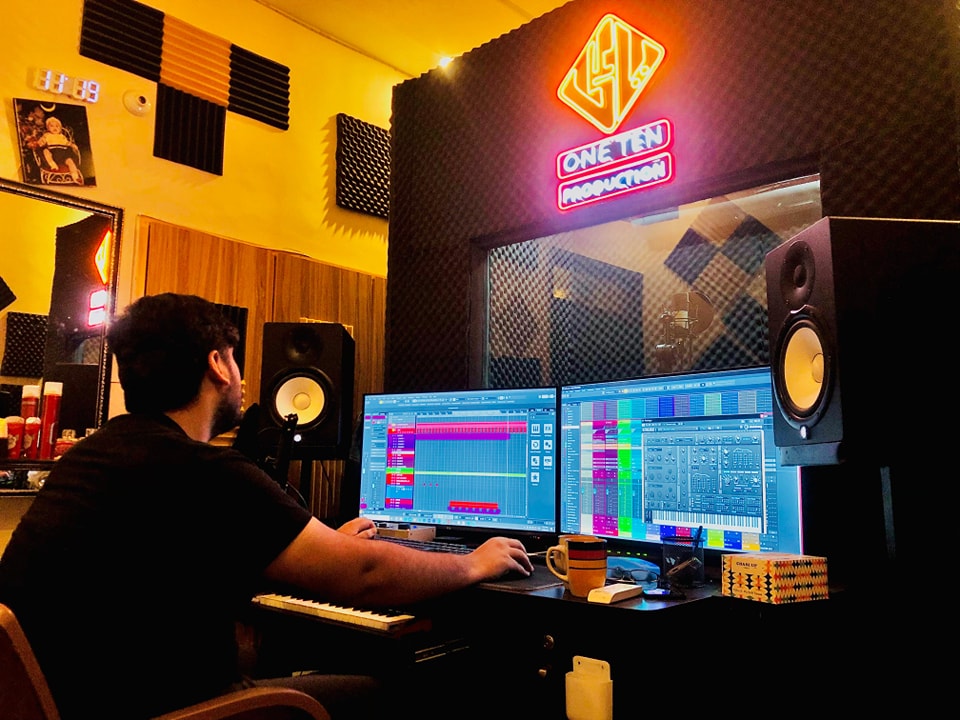
Audio engineer mixing a One Ten Production session
REAL STUDIO WORKFLOW

Listen closely. Shape every detail.

Monitoring, editing and vocal direction happen together so every take serves the final performance.

01

Essential equipment

Arrange and test every item before the remote session.

  • Computer or laptop with a stable internet connection
  • Audio interface with the correct driver installed
  • Condenser or suitable vocal microphone
  • Closed-back headphones—do not record through speakers
  • Microphone stand, pop filter and all required cables
  • Recording software installed and enough free disk space
02

Prepare the room

The room matters as much as the microphone.

  • Use an acoustically treated room whenever possible
  • If treatment is unavailable, choose a furnished room with curtains, carpet, sofa or mattress
  • Avoid empty rooms, tiled floors and bare reflective walls
  • There should be no audible echo or long reverb when you clap
  • Keep doors and windows closed; switch off fans, AC, coolers and noisy appliances
  • Prevent traffic, people, birds and outdoor noise from entering the room
03

Microphone & session setup

A consistent setup gives the engineer a clean signal.

  • Place the microphone away from walls and room corners
  • Keep the microphone at mouth level and use a pop filter
  • Maintain a consistent distance of roughly 6–8 inches
  • Record at 24-bit / 48 kHz when available
  • Set the gain so loud notes do not clip or turn red
  • Use wired headphones and keep playback low enough to avoid bleed
04

Before you connect

Complete these checks before the booked session time.

  • Rehearse the complete kalaam 3–5 times
  • Finalize the lyrics, scale and reference composition
  • Send lyrics, final reference and any guide track in advance
  • Keep drinking water nearby and avoid unnecessary vocal strain
  • Restart the computer, close extra apps and silence phones
  • Record a short test and send it if the team asks for a room-quality check
30-SECOND ROOM TEST

Clap once. Listen carefully.

If you hear a metallic ring, flutter, long echo, traffic or appliance noise, the room is not ready. Add soft furnishings, change position, remove the noise source and test again.

Need help before you begin?

Let our team review your audio setup.

Contact on WhatsApp ↗